THE ALGORITHMS ARE
HUNTING YOU.
SHOOT BACK.
That line is there to get your attention, and it is not measurable.
What is measurable: where price left a gap, where it reacted before, and when the tool showing you that is wrong. The GBR Quant Lab builds indicators for trading platforms — levels, liquidity gaps, structure and volume pressure. Each has a page stating what it computes, what it assumes, and where it falls short.
10:15 A swing high forms at 19542.50.
10:40 Five bars later it confirms. The tool draws it now — not before.
11:20 Price returns to the level and rejects it.
11:25 The mark is made. Whether this is an entry, the tool does not know.
Most of what you see
already happened.
An average of the last fifty closes tells you where price has been. An oscillator tells you how fast it got there. Both are useful, and both are descriptions of the past — they cannot be anything else, because past prices are all they have.
What they do not show is structure: where price reacted before, where a move left a gap behind, where the session boundaries are. That is what these tools draw. Not a prediction — a map of what is already on the chart but hard to see.
A tool can show you where something happened. Whether it matters is your call — and the tool page says where it has been wrong.
The GBR Architecture
A tool can answer one of a small number of questions. You need at most three on a chart, and they must answer different questions. Three tools that answer the same question do not give you a reading — they give you a vote, and you will unconsciously weight that vote toward whatever you already wanted to do.
Which way is the bigger picture pointing?
A smoothed average, usually from a higher timeframe. Slow, late to turn, and silent on entries.
Where has price reacted before?
Pivots, levels, gaps. All of them appear late, because confirmation costs bars.
Is something happening right now?
Volatility, volume, a break of a recent level. The fastest signal, and the noisiest.
V22 Kernel
Macro Trend
X-Ray Delta
Absorption Scan
Synergy Engine
Judas Swings
Holographic TP/SL
Dynamic Targets
Not a Magic 8-Ball.
A Quantitative Ecosystem.
Forget blind "Buy/Sell" signals where you have no idea what's happening under the hood. The GBR Quant Lab toolkit is an open-book, professional Swiss Army knife.
The algorithms build upon each other. You decide if you want to run an aggressive 1.5 R:R scalping strategy on the 1-minute chart, or wait for marked liquidity levels on the 15-minute. The tools serve your method, not the other way round.
Built for the instruments you actually trade.
The tools were built for and tested on MNQ, MES, MGC and MCL micro contracts. These are what funded accounts trade, and these are where position size matters most: a micro's tick value is a fraction of the full contract's, so the link between stop distance and contract count is sharper.
On a funded account the limit is not the account size but the distance to the trailing drawdown — which rises with your equity and never comes back down.
Work out how much room is leftAnti-Chop State Machine
Mutes signals during sideways noise.
2.5+ R:R Minimum
Mathematical asymmetry.
The tool does not think for you
A tool marks a condition. It does not know what instrument it is on, what hour it is, or what you are hoping for. Everything after the mark — whether to act, how much to risk, when to stop — happens outside the script.
29 tools, all for TradingView, written in Pine Script v6. 9 have full documentation: what they compute, what they assume, where they fall short, and what changed in each version. The rest are either invite-only or being updated.
Flagship Systems
Invite-Only Access Codes
Entry and risk management
Master [V22 Sniper]
Marks liquidity levels by your own rules and draws holographic Risk:Reward boxes automatically. Built to reduce overtrading during Prop Firm evaluations.
Order flow and volume
X-Ray Delta V3
Calculates intrabar aggressive buying/selling. Price and volume based pattern marking at support and resistance levels. Stop guessing, see the volume.
Liquidity and timing
Time & Liquidity Matrix
Looks exclusively for 'Judas Swings'—violent liquidity sweeps during the New York Killzone. Marks the setup at the moment breakout traders are getting stopped out.
Machine learning
Neural Predictor
A K-Nearest Neighbors (KNN) machine learning algorithm. Scans 500 historical candles to output real-time AI probabilities for the next move.
Entry and risk management
Synergy Clean Engine
The physical fusion of the V22 and the Liquidity Matrix. Strict one-shot sniper logic. It mutes the noise and only marks the highest-probability 'A+' setups.
Momentum and scalping
Scalp Master PRO
Elastic rubber-band logic to flag immediate momentum shifts for fast scalps on the 1-minute timeframe.
Foundational Tools
Open-Source Modules
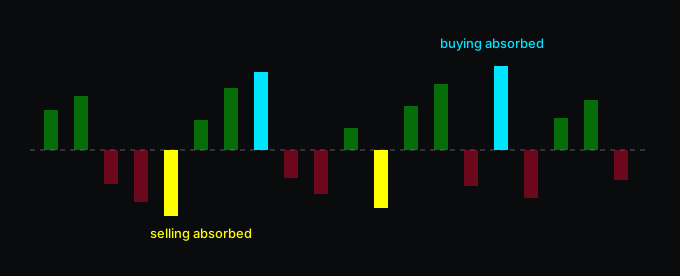
Order flow and volume
Smart Volume Delta
Splits each bar's volume by where the close sits in the range, and marks the bars where that estimate disagrees with the candle itself.
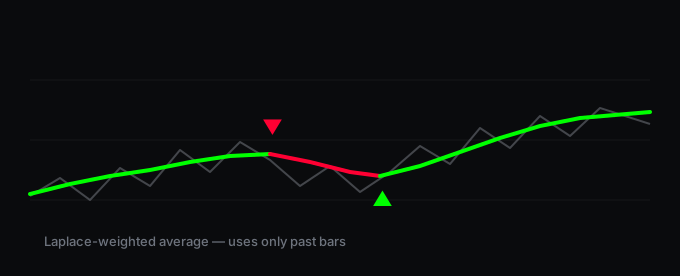
Trend
Micro Kernel Trend
A smoothed trend line that weights recent bars more heavily than older ones, and changes colour when its direction turns.
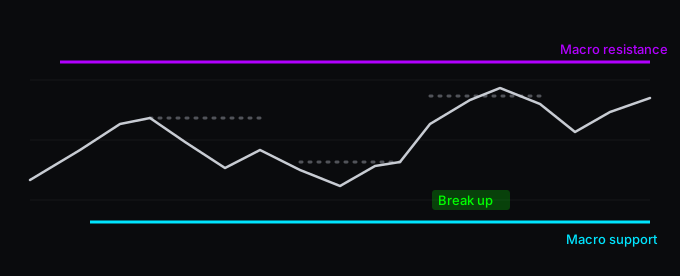
Liquidity and levels
Adaptive S/R
Two layers of levels: slow structural ones that stay until price closes through them, and fast ones that mark a short-term break — with the structural layer filtering the fast one.
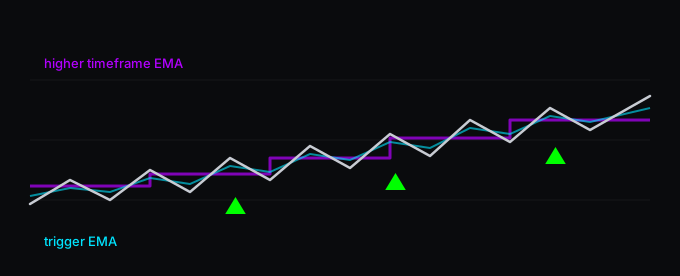
Multi-timeframe
MTF Scalp Sniper
A fast moving-average crossover, allowed through only when a higher timeframe and the current volatility both agree.
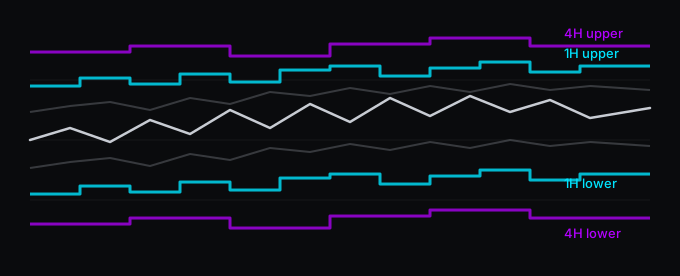
Multi-timeframe
MTF Adaptive Channel
Projects the volatility range of one or two higher timeframes onto the chart you are trading, so you can see how much room is left before you run into a bigger one.
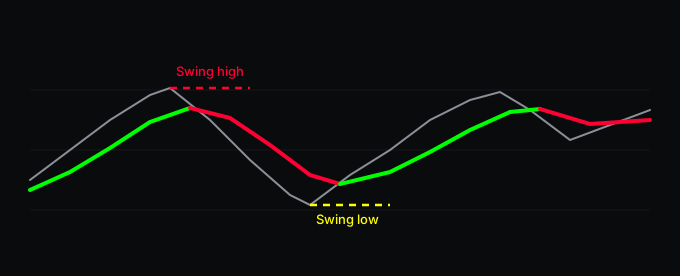
Trend
Trend & Reversal
A colour-switching trend line from a higher timeframe, plus dashed markers on confirmed swing highs and lows.
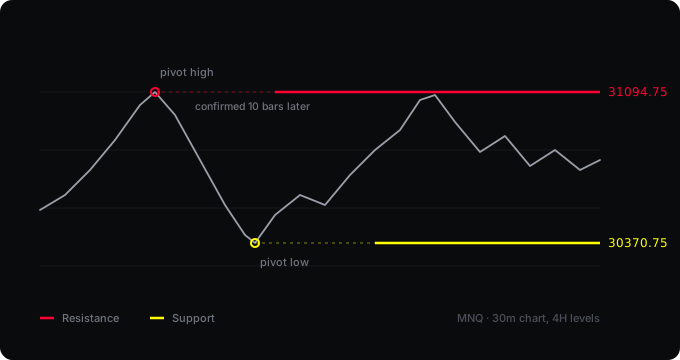
Liquidity and levels
S/R Lines and 4h Alert
Marks the most recent support and resistance levels from pivots, and alerts you when price reaches one.
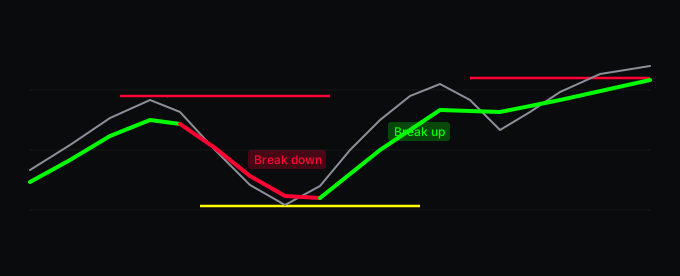
Complete systems
Master Suite
A trend line and a self-cleaning set of support and resistance levels, with a panel showing the nearest level in each direction.
Complete systems
SMC Setup & Smart Delta
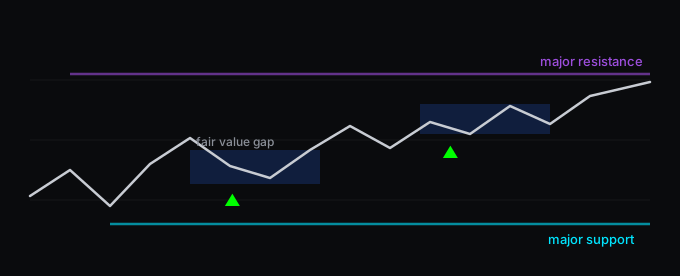
Structure breaks, major levels and fair value gaps on one chart, with a pressure estimate colouring the bars and a trend filter from a timeframe you choose.
Updating
These tools exist and will be back shortly.
Liquidity and levels
5M Liquidity Sweep Radar
Liquidity and levels
Liquidity Sniper Confluence Engine PRO
Order flow and volume
Order Flow Scalp Lite
Order flow and volume
Order Flow Scalp PRO
Complete systems
WDL [SMC + X-Ray Radar]
Complete systems
WDL PRO [DarthTrader Edition]
Complete systems
APEX [Institutional Quant OS]
Complete systems
APEX PRO [Premium Quant OS]
Complete systems
Master [Auto-Setup & Targets]
Complete systems
Master [Auto-Setup & Targets] Sniper Engine
Instrument-specific
Master [Gold Edition v4.5]
Instrument-specific
Master GOLD PRO
Instrument-specific
Master NQ PRO Auto Targets
Instrument-specific
NQ VWAP Reclaim Engine Lite
Two ways
from here.
The free tools are open source — add one to your chart and see what it does. Or read how they are meant to be used before you put anything on.