MTF Adaptive Channel
Projects the volatility range of one or two higher timeframes onto the chart you are trading, so you can see how much room is left before you run into a bigger one.
What it computes
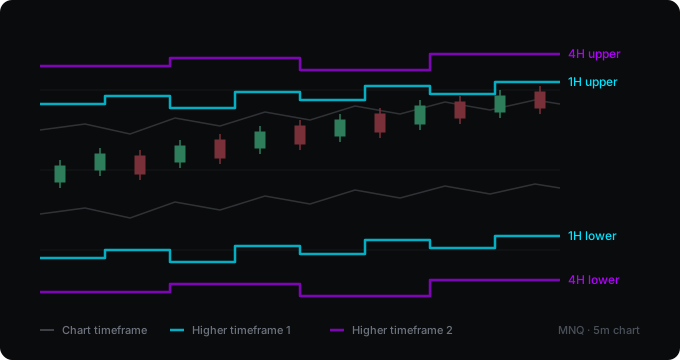
A moving average with ATR bands, calculated three times: once on the chart's own timeframe and once on each of the two higher timeframes you choose. The band width is the average true range multiplied by a factor you set, so it widens when the market moves more and narrows when it settles. By default the higher timeframes only update once their bar has closed, which is why those lines step rather than glide: a one-hour channel changes once an hour, not every minute.
What it assumes
That price tends to stay within a certain distance of its own average, and that the distance is bigger on a bigger timeframe. The practical use is not prediction but awareness: on a five-minute chart it is easy to forget that you are running straight into the edge of the four-hour range. What it does not claim: these are not support and resistance. They move with every bar, which is precisely what a level does not do, and price spends plenty of time outside them.
Where it falls short
- The band is not a boundary. In a strong trend price can ride the upper band for a long time without anything happening. Treating a touch as a signal to fade the move is the most common way to lose money with a channel like this.
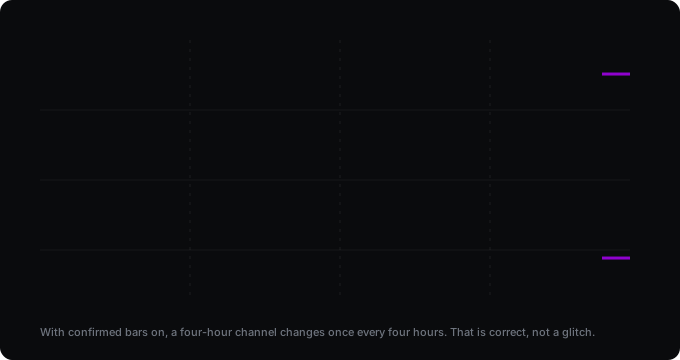
- The higher-timeframe lines step. With confirmed bars on, a four-hour channel holds its value for four hours and then jumps. That is correct, not a glitch — but if you expect a smooth line, it will look odd at first.
- Setting a timeframe lower than the chart produces values that look plausible and are not. The script now warns you, but it cannot stop you.
- ATR is an average, so the width lags. After a sudden jump in volatility the band is too narrow for a while, and after a calm stretch it is too wide.
Backtest
There is none. The channel gives no entry rule, it draws a range — there is nothing to measure. A rule built on it could be measured, and that would be a separate tool published with its results.
Settings
| Setting | What it does |
|---|---|
| Lookback period | Length of the moving average and the ATR. |
| Channel width | The ATR multiplier. Raise it if the channel is too narrow for the instrument. |
| Higher timeframe 1 and 2 | Which two timeframes to project, with their own labels. |
| Use only closed higher-timeframe bars | On by default, so the historical chart matches what you would have seen live. |
| Show chart timeframe channel | Can be switched off if only the higher ones interest you. |
| Alerts | When price reaches a higher-timeframe band. |
Changelog
v2.0
The bands are no longer labelled "Resistance" and "Support". They are an ATR range around a moving average: they move with every bar, which is precisely what a level does not do, and the old names invited you to treat them as fixed prices. New option, on by default: use only closed higher-timeframe bars, so the historical chart matches what you would have seen live — the higher lines now step rather than glide, which is the correct behaviour. Warning when a selected timeframe is lower than the chart, which used to produce plausible-looking nonsense silently. Plus alerts on band touches, labels that spread apart when two bands sit close together, a switchable chart-timeframe channel, and configurable colours.
v1.0
First release.
How to get it
Open source and free on TradingView. Add it to your chart from the link below — no account needed here.
Open on TradingView